What is SaaS: subscription cloud services explained
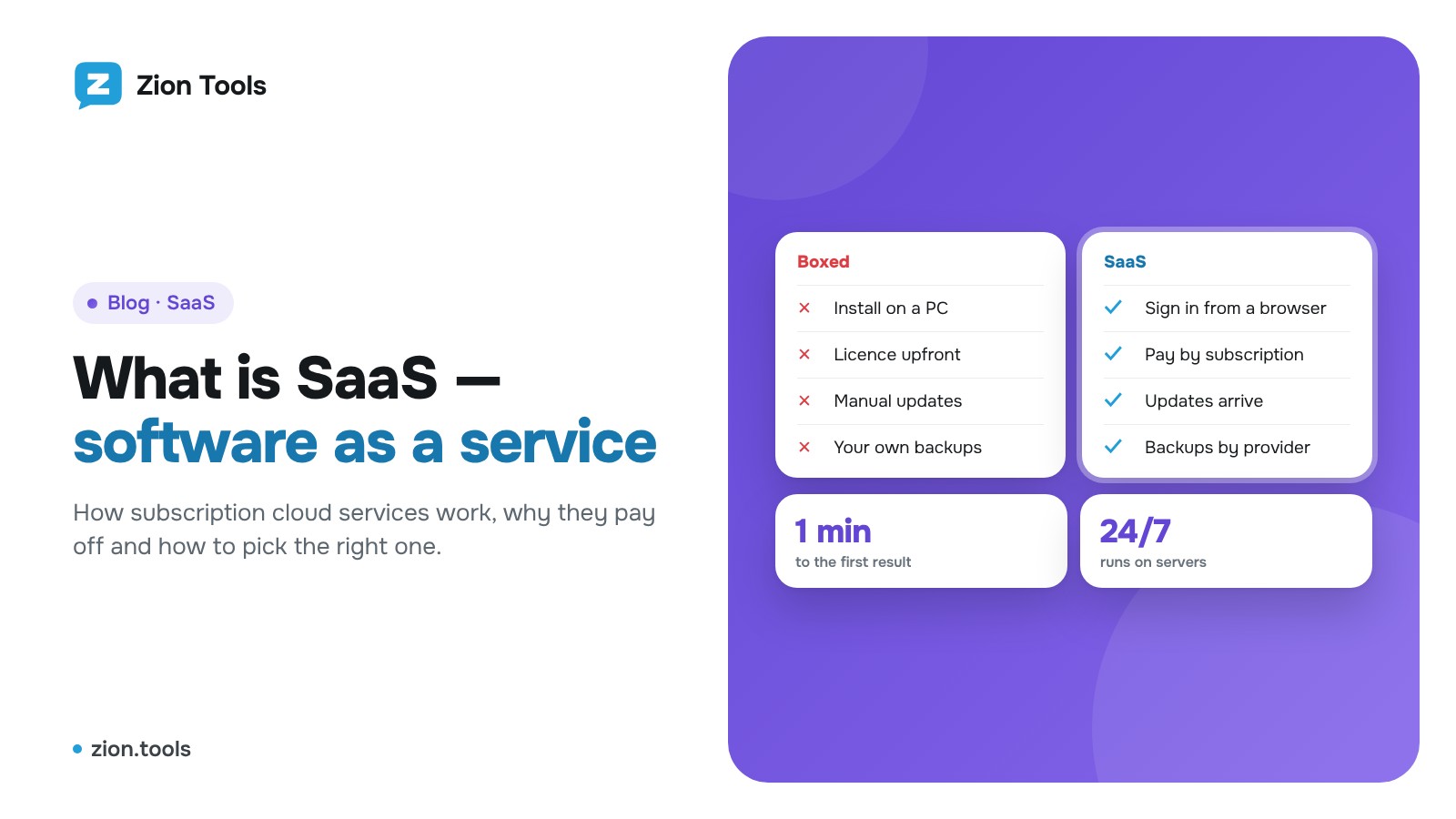
Fifteen years ago, work software was bought like a physical item: a disc or an installer, a licence key, setup on every computer and a paid upgrade every couple of years. Today most work tools are different: you open a website, sign in and start working. This model is called SaaS.
SaaS in plain words
SaaS (Software as a Service) is a way to use a program without installing it yourself. The program runs on the provider’s servers, you reach it through a browser, a mobile app or a messenger, and you pay for using it rather than owning it.
Think of electricity. You could put your own generator in the yard: buy it, find room for it, refuel it, repair it and make sure it doesn’t stall at night. Or you can plug into the grid and pay by the meter. The generator is boxed software. The power socket is SaaS: all the hard work happens at the provider, and you simply get the result.
Almost everyone uses SaaS already: web mail, online documents and spreadsheets, cloud file storage, CRM systems, video calls, website builders, online accounting.
How SaaS differs from boxed and self-hosted software
There are three main ways to get software for work:
- Boxed software. You buy a licence and install it on your computer. It works offline, but updates, backups and compatibility with new OS versions are your job.
- Self-hosted. The program runs on your own or a rented server. Full control, but you need someone to set it up, update it, patch vulnerabilities and bring it back after a crash.
- SaaS. Nothing to install or maintain. Sign up and use it. Servers, updates, backups and security are on the provider’s side.
Two more cloud terms often appear next to SaaS. IaaS is renting hardware (virtual servers, disks, networks); you still build everything on top yourself. PaaS is a platform for developers to run their own code without worrying about servers. SaaS sits at the top of this pyramid: a finished product for end users who don’t need to know what’s under the hood.
How it works inside
Simplified, a SaaS service has three parts:
- The back end: the program logic and the database, running around the clock in a data centre.
- The interface: a web dashboard, an app or a bot where you give commands and see results.
- Your account and plan: what ties you to the service: your data, settings, balance and available features.
One copy of the program serves thousands of customers at once, yet each customer’s data is isolated: you see only your projects, chats and reports. This is called a multi-tenant architecture. It’s also why SaaS is affordable: server and development costs are shared by all users.
Benefits of SaaS
Fast start. It takes minutes to get from “let me try” to the first result, with no purchase orders, installers or admins to wait for.
No large upfront cost. Instead of buying a licence for years ahead, you pay a small recurring fee. This matters most for small businesses and for anyone testing an idea.
Updates arrive on their own. New features and fixes reach every customer at the same time, with no reinstalling and no paying extra for “version 2.0”.
Work from anywhere. A browser and an internet connection are enough. It’s the same dashboard at the office, at home, on a trip or on a colleague’s laptop.
Scale as you go. Need more users, accounts or volume? Upgrade your plan. Need less? Downgrade. You don’t buy capacity “for growth”.
Reliability and backups. The provider keeps servers in a data centre, watches the load and makes backups. Reaching that level on your own is expensive for one person or a small team.
Security built in. The provider builds encrypted connections, brute-force protection, two-factor authentication and sign-in logs once for all customers.
Teamwork. Colleagues see the same data in real time instead of emailing files named “final_really_final”.
Limits worth knowing about
The model has a flip side, and it’s better to know it in advance.
- You need the internet. Without a connection the cloud service is out of reach. For tools that work with Telegram or email this is no real limit: they are useless offline anyway.
- Your data lives with the provider. Find out where it is stored, who can access it and whether you can export it. Read the terms of service and the privacy policy.
- Vendor dependence. If the service shuts down or changes its terms sharply, you’ll have to move. That’s why it helps when you can download your data in a common format such as CSV.
- Subscriptions add up over the years. Over a very long horizon boxed software can be cheaper, but only if you ignore maintenance, updates and specialists’ time.
- Less freedom to customise. The service is built for many customers, so you usually can’t rebuild it for yourself. Good services, however, listen to feedback and add features users ask for.
How SaaS is priced
Pricing models vary, and they largely decide what you end up paying:
- Flat subscription: one price per month or year.
- Packages (plans): several tiers with different limits and features: basic, standard, maximum.
- Per user or per item: the price grows with the number of employees, accounts or projects.
- Usage-based: you pay for actual volume: requests, checks, recognised documents.
- Freemium and free trials: some features free forever, or everything free for a few days so you can evaluate the service.
The most flexible services combine several approaches: ready-made packages for typical needs plus the option to build your own set and pay only for what you use.
Who SaaS is for
- Small businesses and freelancers: when there is no IT department but tools are needed today.
- Marketers and social media managers: running channels, posting, analytics, handling several accounts.
- Sales and support teams: CRM, notifications about new requests, shared message history.
- Finance and bookkeeping: collecting receipts, tracking expenses, reports on incoming payments.
- Distributed teams: people in different cities and time zones working in one dashboard.
- Large companies: for specific tasks where a ready-made solution is faster than building their own.
How to choose a SaaS service: a short checklist
- Does it solve your whole task? Count how much manual work will remain after you connect it.
- Is there a free trial? The best way to understand a service is to try it on your own data.
- Is pricing transparent? It should be clear what you will pay as volume grows and what exactly you are charged for.
- How is sign-in protected? Look for two-factor authentication and, ideally, passkeys.
- What about your data? Can you export it, and what happens to it when you delete your account?
- Is there support and development? Regular updates and a live support contact show the service isn’t abandoned.
- Is it easy to use? If the interface makes sense without hours of training, your team will actually use it.
Zion Tools: a SaaS panel for Telegram
Zion Tools works on the same SaaS model, built for Telegram tasks. There is nothing to install or keep running on your computer: you sign up, connect a Telegram account with a QR code, and from then on everything runs on our servers around the clock, even when your phone is off.
What you can do in one panel:
- Message forwarding: posts from channels and chats go to your channels and groups automatically, with the “Forwarded” label or as your own messages.
- Alerts: a bot notifies you when a chat gets the text you need or an amount above your threshold.
- Validator: finds repeated requests and messages by your template and replies in the chat right away.
- Receipt scanner: AI reads amounts from receipt screenshots and PDFs and keeps the total.
- Bookkeeping: track team expenses with commands right in the group: “/cash 40 taxi”.
- Transaction analytics: bank notifications turn into charts of incoming and outgoing payments.
- AML check: a crypto wallet’s risk level and a token audit in seconds, with a PDF report.
- Multi-accounting: chats of all your Telegram accounts in one window.
- Neurocommenting: AI writes natural comments under new posts in the channels and groups you choose, with limits and pauses.
How payment works. There is the 30-day VIP plan and the Custom plan, where you choose the number of accounts, sources and modules yourself and pay by the day. Individual actions (recognising a receipt, an AML check, an AI comment) are pay-per-use, each with a free allowance. One balance covers all modules, top-ups are made in crypto (TRC20). On the Custom plan, an account that is offline isn’t charged for that day.
Security. Sign-in is protected with a second step: a passkey, Google Authenticator, a Telegram code or a trading password. Read more in our article on two-factor authentication. A connected Telegram account can be disconnected from the dashboard or right in Telegram under “Devices”.
Free trial. Modules are available for free right after sign-up, so you can test the panel on your own tasks before paying. And if a feature is missing, suggest it with the “Request a feature” button in the dashboard: the best user ideas become new modules.
Sign up for Zion Tools. It takes a minute.